eduroam Installation Guide for macOS
macOS Setup for eduroam
1) Go to macOS App Store.
2) Search for geteduroam.
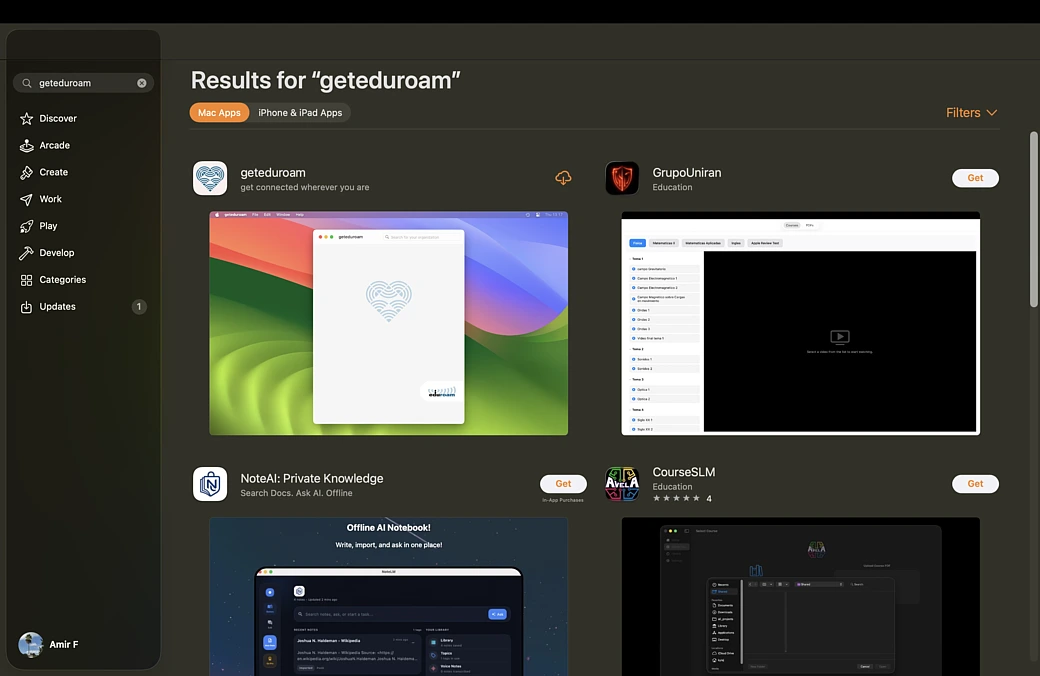
3) Download geteduroam.
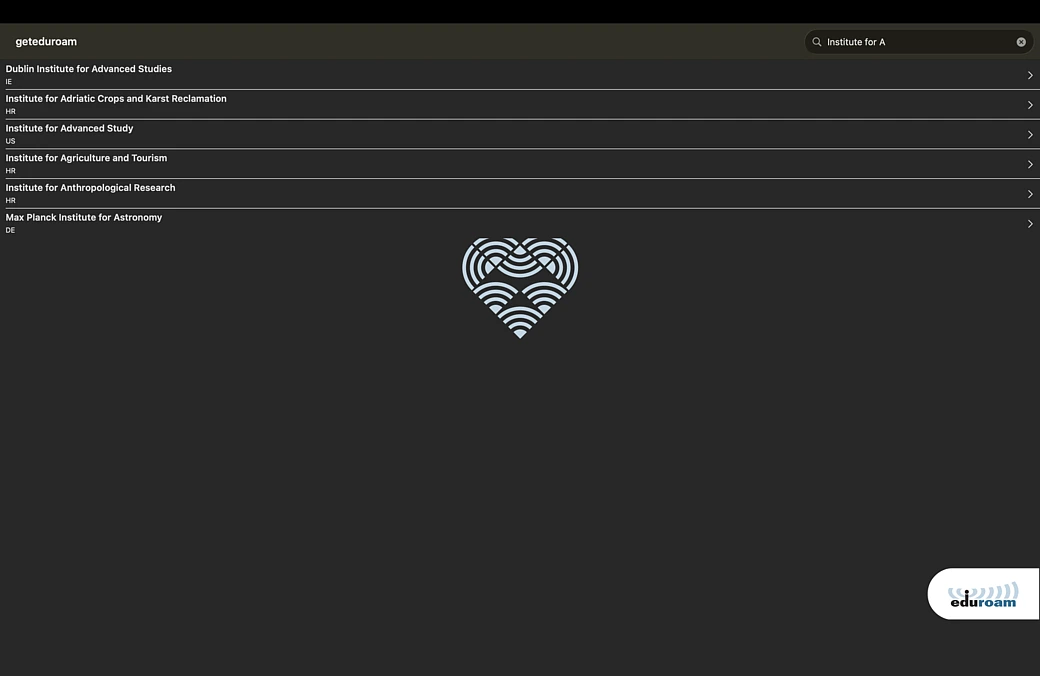
4) Search and select Institute for Advanced Study when prompted.
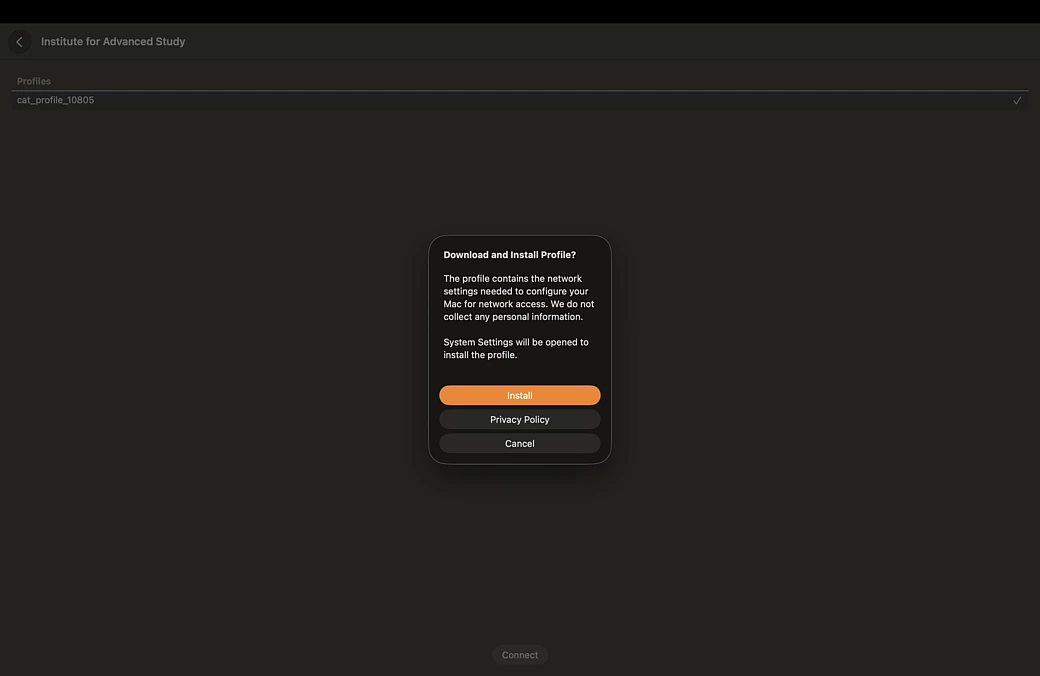
5) Install eduroam profile when prompted.
6) Go through installation steps as prompted.
7) Login using IAS email address and password.
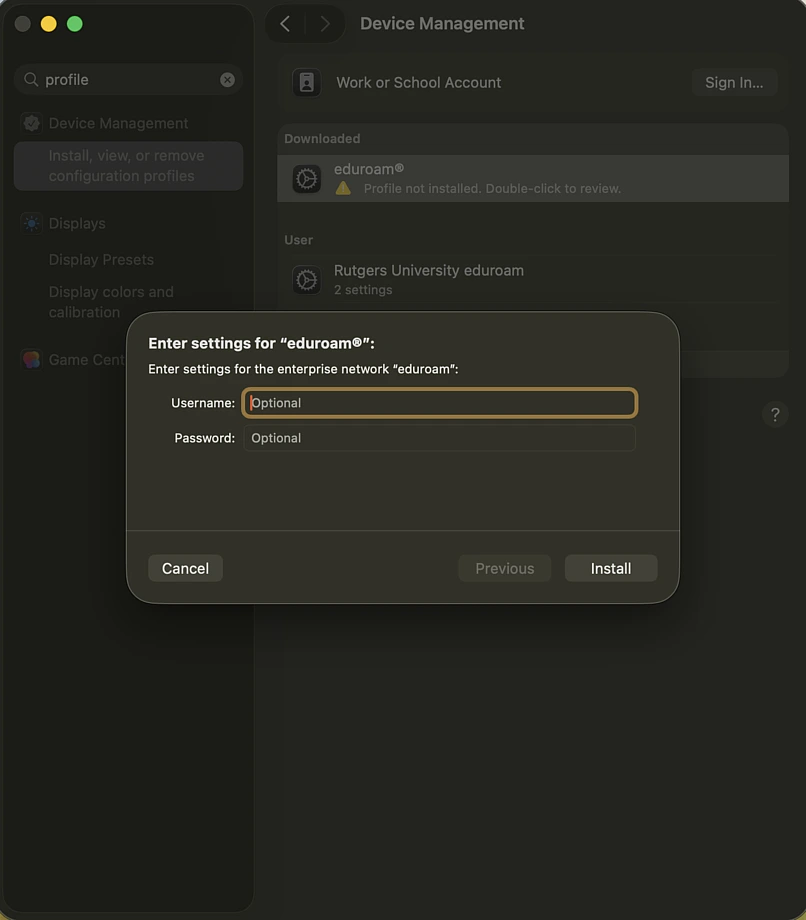
8) Join eduroam network in wifi settings.