How to join the Institute's ChatGPT subscription
Please follow the steps outlined below to join the Institute's ChatGPT subscription.
Submit a request to the Institute Help Desk that provides computing support to your department, group, program or School. They will invite you to join the subscription via an email message. Please see a sample of what the message looks like below.
Image
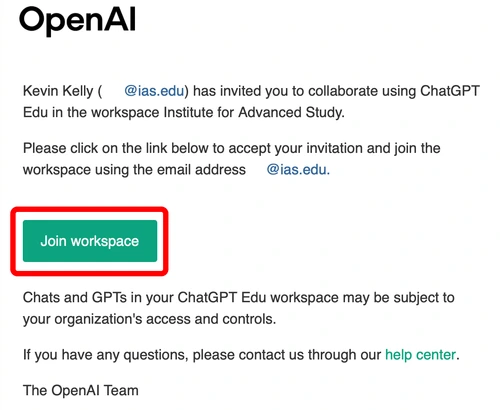
- Click on the "Join workspace" button. This will take you to a ChatGPT log in page.
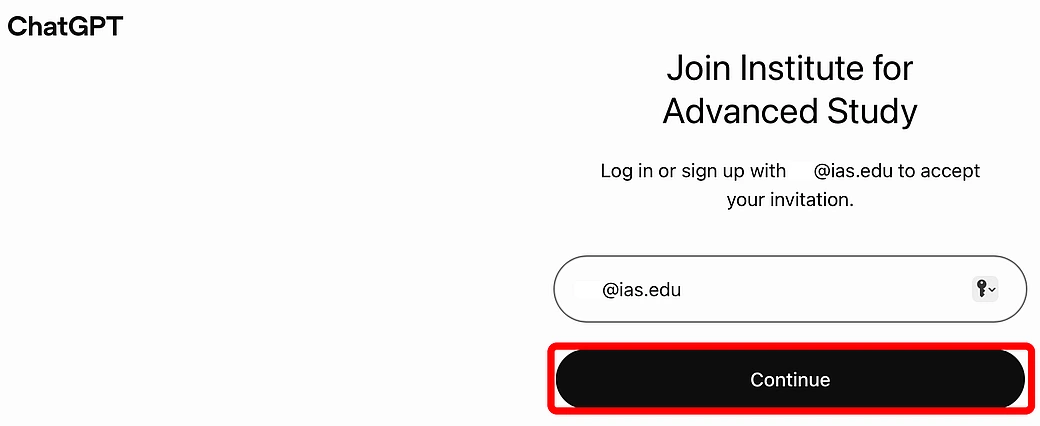
On the ChatGPT log in page, your IAS email address should appear in the box above the black Continue button. If it doesn't, please enter it. Click on the black Continue button.
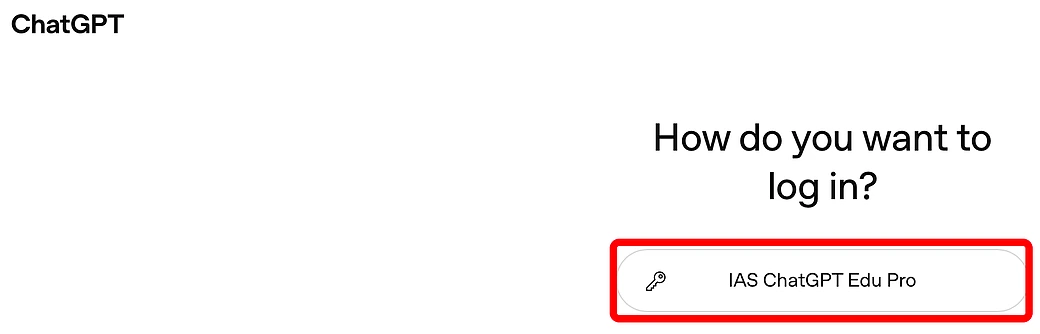
On the How do you want to log in? screen, click on the IAS ChatGPT Edu Pro button.
- An Institute-branded Duo Security Single Sign-On webpage will appear.
- If this is your first time seeing this screen:
- You will be prompted to enter your IAS email address (e.g., [email protected], where username is your assigned IAS username).
- Click the Next button.
- If your IAS email address is already displayed, click the Next button.
- If this is your first time seeing this screen:
- Enter your IAS passphrase.
- Click the Log in button.
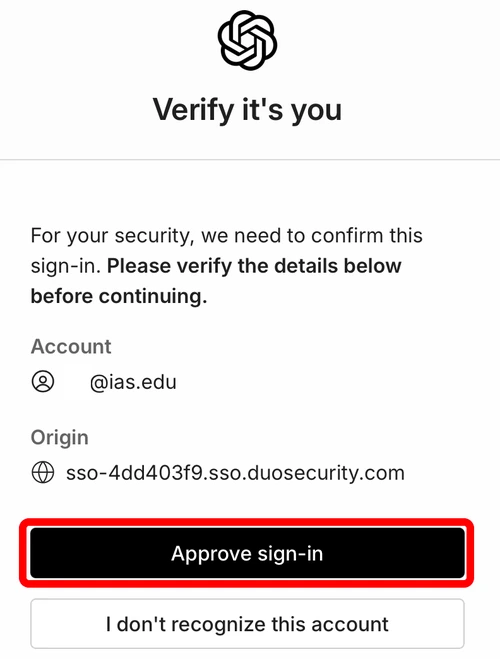
On ChatGPT's "Verify it's you" screen, review the information that appears and click on the black "Approve sign-in" button.
Image
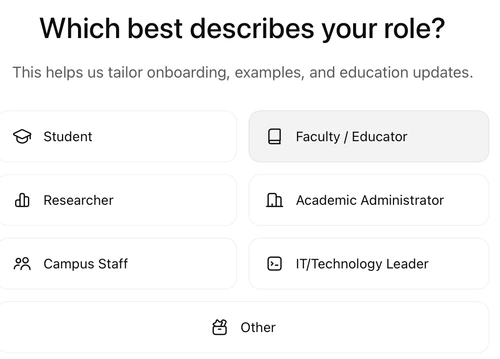
- The first time you log in to ChatGPT, you will be asked, "Which best describes your role?" Choose the appropriate response.
Image