How to install a network printer on your Mac OS X computer
- Open the Mozilla Firefox or Safari web browser and navigate to: ipp://printhost.math.ias.edu/printers/printer_name, where printer_name is one of the options below:
Queue Name | Printer Type | Location | Duplex |
|---|---|---|---|
a1 / a1d | HP LaserJet M603dn | Building A 1st Floor | No / Yes |
color* / colord* | HP LaserJet 500 Color M551 | Simonyi Hall Lower Level | No / Yes |
f1 / f1d | HP LaserJet M402dne | Fuld 1st Floor Math Mailroom Area | No / Yes |
f2 / f2d | HP LaserJet M608dn | Fuld 2nd Floor Landing | No / Yes |
f2suite / f2suited | HP LaserJet M608dn | Fuld Hall 2nd Floor - Math Suite | No / Yes |
f3 / f3d | HP LaserJet M608dn | Fuld Hall 3rd Floor - Math Suite | No / Yes |
fcolor* / fcolord* | HP LaserJet 500 Color M551 | Fuld Hall 3rd Floor - Math Suite | No / Yes |
f4 / f4d | HP LaserJet M608dn | Fuld Hall 4th Floor | No / Yes |
h1 / h1d | HP LaserJet M400 | Housing Complex - Activities Center | No / Yes |
mos1* / mos1d* | Xerox AltaLink C8035 | MOS | No / Yes |
s0 / s0d | HP LaserJet M608dn | Simonyi Hall - Lower Level | No / Yes |
color* / colord* | HP LaserJet 500 M551 | Simonyi Hall - Lower Level | No / Yes |
s1 / s1d | HP LaserJet M608dn | Simonyi Hall - 1st Floor | No / Yes |
s118* / s118d* | Xerox AltaLink C8130 | Simonyi Hall 118 | No / Yes |
s2 / s2d | HP LaserJet M608dn | Simonyi Hall - 2nd Floor | No / Yes |
- *Signifies color printer
- [NOTE: This procedure does not work with the Google Chrome web browser.]
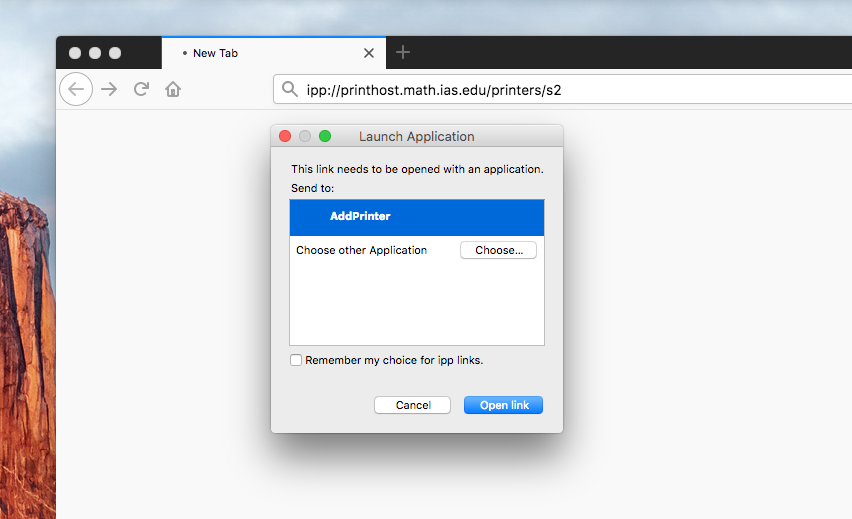
- A launch application dialog will appear, make sure to have "AddPrinter" highlighted before clicking "Open link"
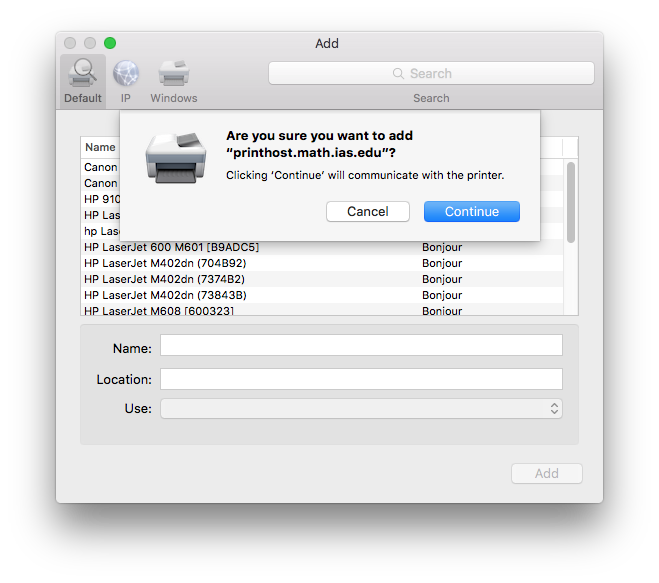
- An add a printer prompt will appear, click "Continue" to add the printer.
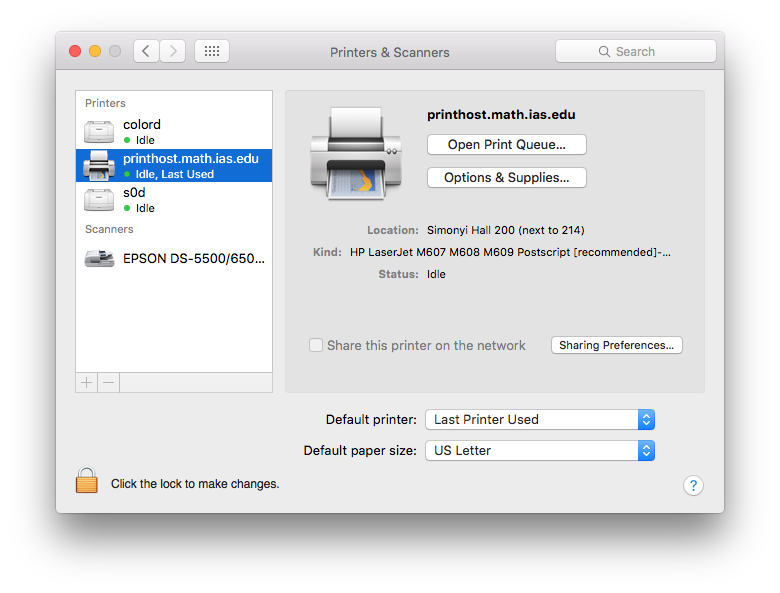
- A new printer named printhost.math.ias.edu will have been added to your list of printers.
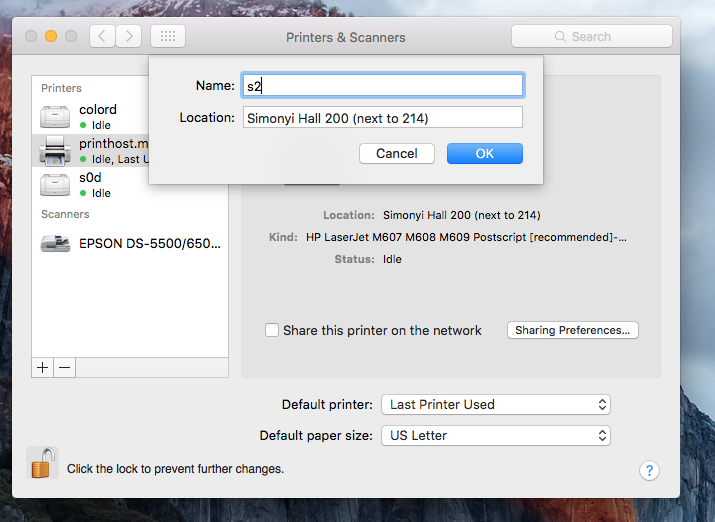
- Once added, right-click the newly added printer named printhost.math.ias.edu and click "Rename printer...". (You may have to click the lock in the lower left corner to make any changes).
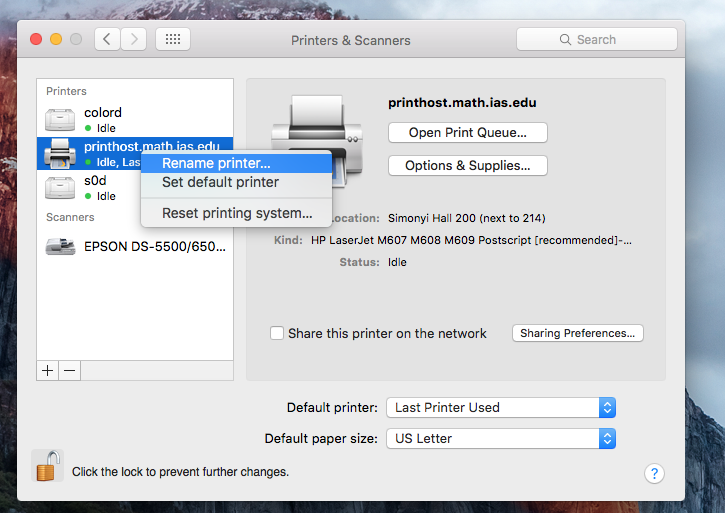
- Use the <printer name> you specified earlier.