How to export and download a copy of your Institute mailbox
If you would like to retain a copy of your Institute mailbox, please follow the steps below:
- Log in to the IAS Webmail Portal.
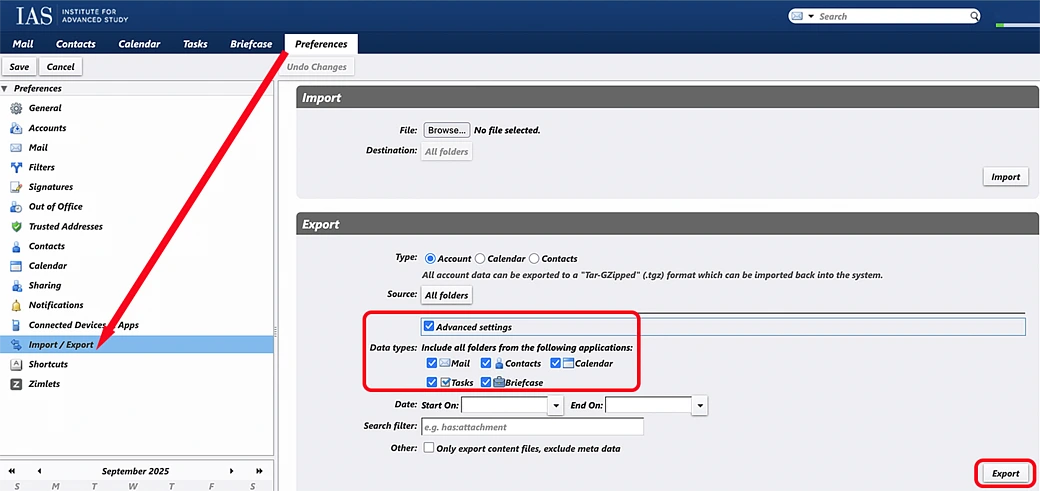
- Click on Preferences and select Import/Export.
- In the "Export" section:
- Select the circle next to Account.
- Check the box next to Advanced settings to ensure all options are selected.
- Click the Export button to begin the export and download your mailbox.
Note: The instructions above assume that you are using Zimbra's Classic Web App. If you do not see these settings, please click on the "Settings and more" icon at the top of the screen (it looks like a grey gear) and choose "Classic Web App."